Phone Book Import & Export
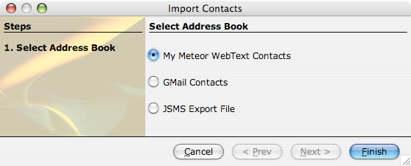
You can import your address book contacts from multiple sources within JSMS.
-
 You can download all the contacts you had already saved on your webtext account.
 -
You can download your contacts from GMail (JSMS will only import contacts which have phone numbers)
-
You can import your MS Outlook contacts (Windows users only)
-
You can import from a previously exported JSMS export file (handy if you move PC’s)
You can also export your phone book. You might want to do this to back up your contacts to a memory stick or maybe to copy your contacts to another computer.

Phone Book Import & Export
Import from O2, Meteor, Vodafone, GMail, MS Outlook or a JSMS Export File